The Phomemo M110 Label Maker Machine review is for shoppers who want a portable printer for product, address, ingredient, or barcode labels without ink or toner.
Its 20–50 mm label range and phone app support suit small businesses and home projects, while computer users should check the connection workflow before choosing it.
Phomemo M110 Review Summary
The quick verdict
2,000+ ratings
Read Amazon ReviewsPhomemo M110
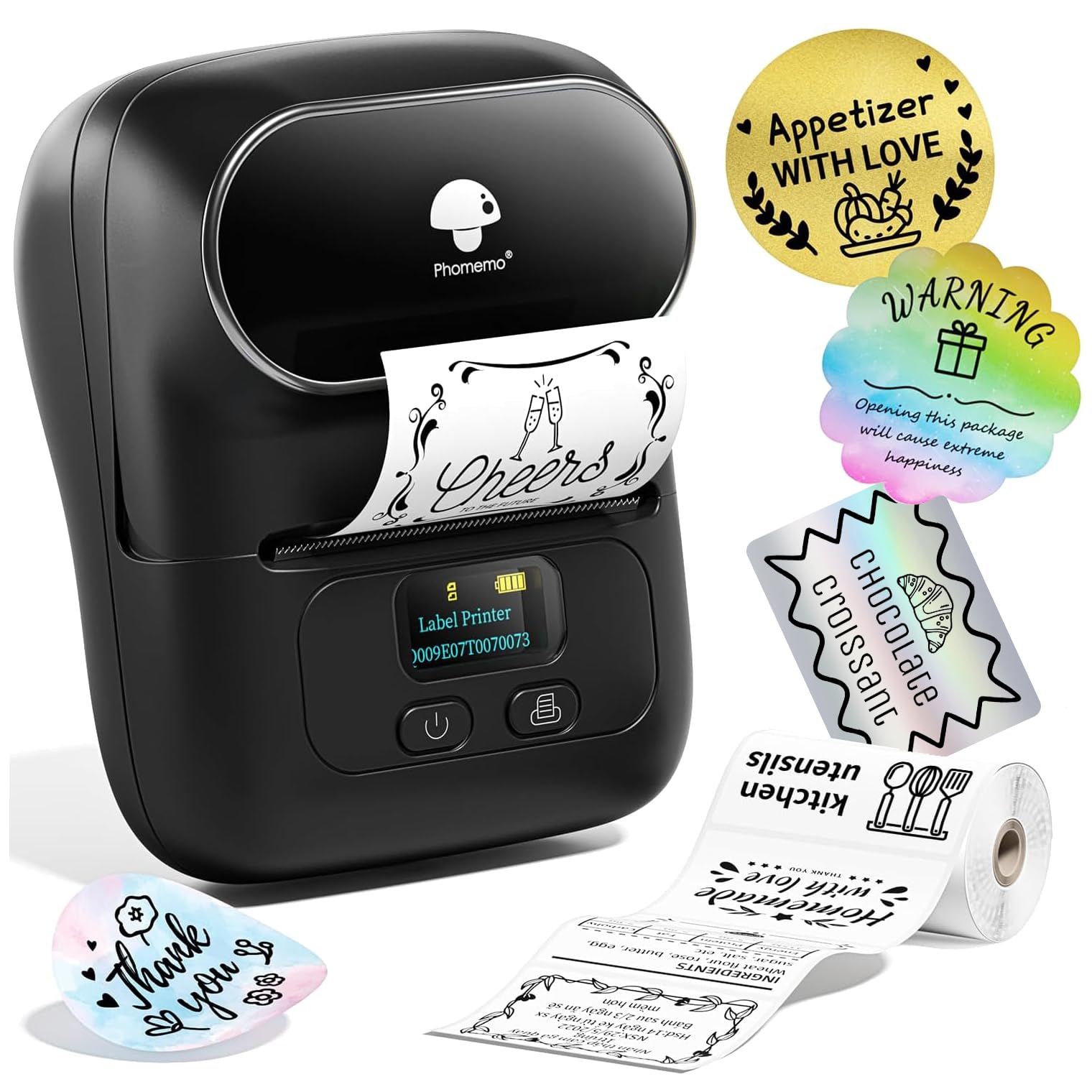
A compact thermal label maker for small sellers and home users who need varied labels, batch printing, and phone-based design.
- Prints with direct thermal technology, so no ink or toner is required.
- Connects to iPhone and Android phones over Bluetooth through the Print Master app.
- Supports labels between 20 and 50 mm wide for compact labeling tasks.
- Includes 100 starter labels sized 40 × 30 mm.

Pros
- A broad range of small-label uses fits product tagging, home organization, and craft or market preparation.
- Phone-based Bluetooth printing supports a portable workflow without needing a desk-connected printer.
Consider before buying
- The 20–50 mm width range is aimed at compact labels, so buyers needing standard 4 × 6 inch shipping labels should choose a different format.
- More custom sticker templates require a subscription, which may matter to users who want the full template selection.
Read the full review summary
The M110 combines Bluetooth printing from iPhone or Android with a Print Master app offering more than 130 fonts and 300 templates.
It can handle common small-format tasks such as price tags, product barcodes, ingredient labels, and organization labels, and its compact cordless design is intended for use away from a desk.
The included starter labels are 40 × 30 mm, and the printer is described as supporting label widths from 20 to 50 mm.
That range is useful for many compact tags, but does not make it a general-purpose shipping-label printer.
Consider it if you want phone-led design and repeated small labels; confirm that your planned label sizes and computer setup fit before buying.
The buying factors
Phomemo M110 Scorecard
Editorial scores reflect listed features and buyer fit; they are not laboratory measurements or customer ratings.
Small-label versatility
The 20–50 mm width range and support for barcode, product, address, and ingredient labels cover a useful variety of compact tasks.
App design options
The Print Master app includes more than 130 fonts and 300 templates, giving users multiple starting points for common labels.
Mobile convenience
Bluetooth phone printing and a cordless design make it practical to bring to a workspace or event.
Batch printing
The product is described as handling batches of 100 or more labels, which can help prepare inventory or event tags in advance.
Ongoing supply simplicity
Direct thermal printing avoids ink and toner, though buyers still need compatible thermal labels.
Computer workflow clarity
The product title mentions USB use for PC and Mac, but the supplied details focus mainly on Bluetooth phone use, so computer buyers should confirm setup and software needs.
Key Features and Specifications of Phomemo M110
- Prints with direct thermal technology, so no ink or toner is required.
- Connects to iPhone and Android phones over Bluetooth through the Print Master app.
- Supports labels between 20 and 50 mm wide for compact labeling tasks.
- Includes 100 starter labels sized 40 × 30 mm.
- Print Master offers more than 130 fonts and 300 templates; additional custom sticker templates are available through a subscription.
- The stated print speed is 1.2 inches per second, and the battery is described as providing up to four hours of use.
- Designed for small-business and household uses including price tags, ingredient labels, product barcodes, addresses, and organization.
Pros and Cons of Phomemo M110
Pros
- A broad range of small-label uses fits product tagging, home organization, and craft or market preparation.
- Phone-based Bluetooth printing supports a portable workflow without needing a desk-connected printer.
- Thermal printing removes the need to replenish ink or toner.
- The included starter roll lets buyers begin with a common 40 × 30 mm label size.
Consider before buying
- The 20–50 mm width range is aimed at compact labels, so buyers needing standard 4 × 6 inch shipping labels should choose a different format.
- More custom sticker templates require a subscription, which may matter to users who want the full template selection.
- The supplied details give less guidance on the PC and Mac workflow than on phone printing; verify the required connection and software before relying on computer use.
Who Should Buy Phomemo M110?
Good fit
Consider the M110 if you run a small shop, prepare products for a market, or need recurring batches of compact labels.
Price tags, ingredients, and product barcodes are the kind of tasks its stated label range and app features are designed to support.
It also makes sense for a mobile or shared workspace where you want to draft labels on a phone and print without ink or toner.
The starter labels provide a practical first size to try, while the adjustable width range offers room to use other compact label formats.
Before buying, match the printer’s 20–50 mm width range to the labels you plan to create.
If you intend to work from a computer, check the current setup instructions for your operating system and confirm whether the connection method suits your workspace.
Who should skip it
Skip this model if your main need is printing full-size parcel labels. Its specified label width is designed for smaller tags and identifiers.
It may also be a poor fit if you want to design exclusively on a computer and need a clearly specified PC or Mac workflow.
Confirm software and connection details first, or consider a model whose computer setup is central to its described use.
What the Phomemo M110 Means for Everyday Labeling
A fit for small-format work
The 20–50 mm width range positions the M110 for compact labels rather than broad shipping formats.
That distinction matters when planning a shop workflow: it can cover identifiers and product details, but buyers should size a sample design against the actual label stock they expect to use.
Templates can speed up repeat jobs
A library of more than 300 templates and over 130 fonts gives users a set of starting points for common designs.
Combined with batch printing, this can reduce repetitive setup when preparing multiple similar tags; the value depends on whether the app’s available templates match the look and information each job requires.
Thermal printing changes the supply routine
Because the M110 uses thermal printing, ink and toner are not part of its supply list.
Thermal labels remain necessary, so buyers should consider label availability and compatibility as part of the ongoing routine rather than treating the printer as supply-free.
Plan around phone-first operation
Bluetooth connection through Print Master is the clearest workflow described, with the app used to create and send labels from a phone.
The product title also mentions USB for PC and Mac, but the setup details here are limited; computer-first buyers should verify the supported software and connection steps for their devices.
Alternatives to Phomemo M110
Desktop Label Printers alternative
1,000+ ratings
Read Amazon ReviewsPhomemo M120
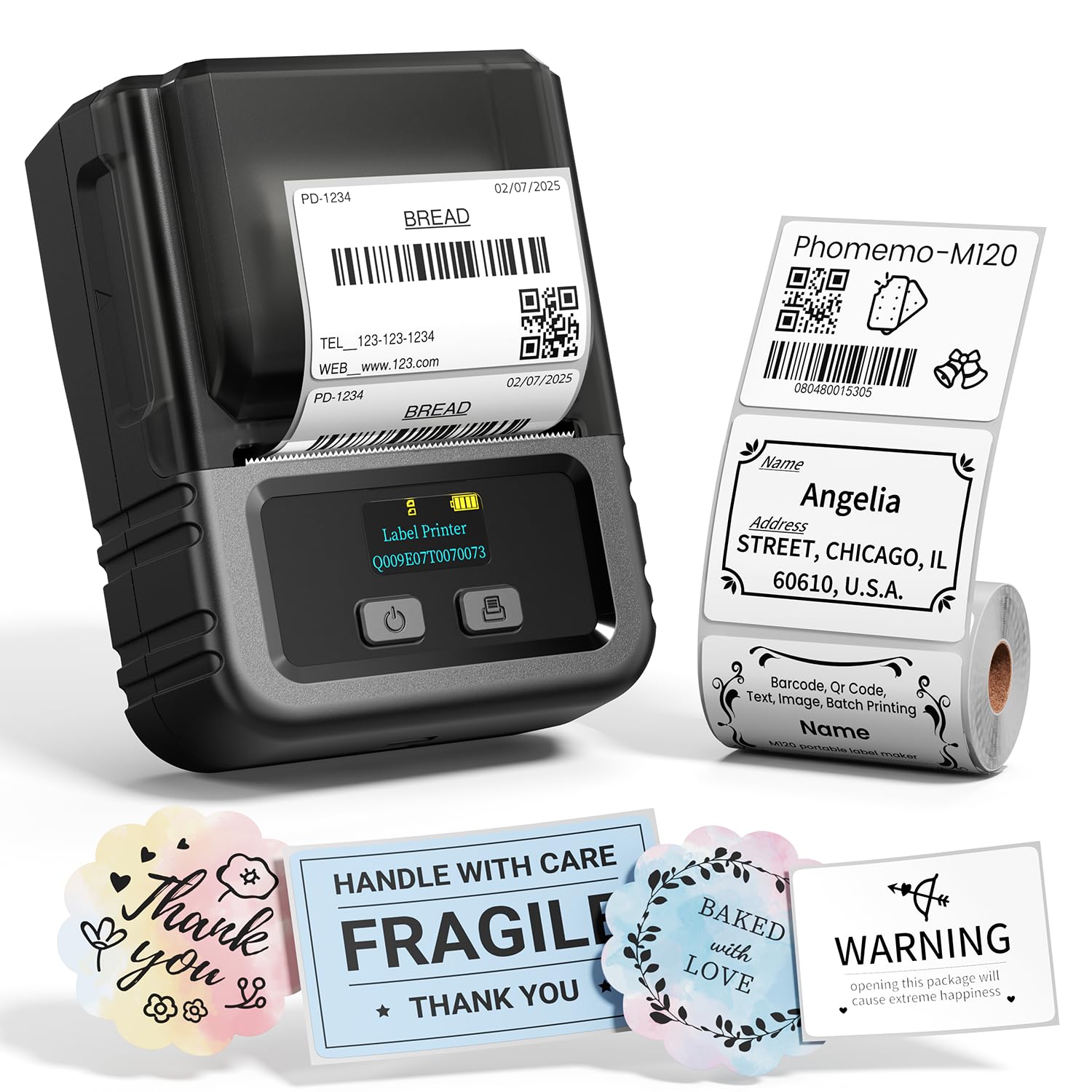
Choose the M120 if you want a similar compact label width but need a computer connection pathway described alongside phone use. The M110 remains a sensible option when its stated phone-led features and starter roll meet your needs.
- The M120 supports 20–50 mm labels and Bluetooth printing from iOS or Android, and its supplied details also specify USB-C computer connectivity for Windows, Mac, and Chrome OS using Labelife software.
- The M110 supports 20–50 mm labels and phone printing through Print Master, with a stated battery life of up to four hours.
Desktop Label Printers alternative

700+ ratings
Read Amazon ReviewsPhomemo M220
Consider the M220 if you need a wider supported label range and a specified USB computer workflow.
The M110 is a closer fit when compact labels are enough and you prefer its included 40 × 30 mm starter labels.
- The M220 supports widths from 0.78 to 3.14 inches, Bluetooth for phones and tablets, and USB for Windows, macOS, and Chrome computers; its description explicitly excludes 4 × 6 inch shipping labels.
- The M110 is described for labels 20–50 mm wide and is aimed at compact product, address, ingredient, and barcode tasks.
Is Phomemo M110 Worth It?
The Phomemo M110 is worth considering for small businesses, crafters, and home users who need batches of compact labels and are comfortable designing from a phone.
Its thermal printing, template library, and 20–50 mm width range suit varied small-label jobs.
Check your label dimensions before buying, and confirm the computer setup if you plan to print from a PC or Mac. For full-size shipping labels or a computer-first workflow, look for a printer designed around those needs.
Your review at a glance
2,000+ ratings
Read Amazon ReviewsPhomemo M110
A compact thermal label maker for small sellers and home users who need varied labels, batch printing, and phone-based design.
- Prints with direct thermal technology, so no ink or toner is required.
- Connects to iPhone and Android phones over Bluetooth through the Print Master app.
- Supports labels between 20 and 50 mm wide for compact labeling tasks.
- Includes 100 starter labels sized 40 × 30 mm.